App Ninja

In development · public test in December · Windows and Mac

App Ninja: AI Development Environment and AI Build Automation

App NinjaApp Ninja

What it is

AI Development Environment

  • Boards from concept to design to development
  • AI agents plan and build each ticket in its own branch
  • You approve or decline

AI Build Automation

  • Install, build, test and package for every repo
  • main follows after every approve
  • Run it from the window or the app-ninja CLI

Built CLI-first. Everything App Ninja does also runs from the app-ninja CLI: for your scripts, your CI and your agents.

Runs with any AI agent

Use the agent you already work with, with your own login. Pick one per project, or even per ticket.

  • Claude
  • Codex
  • AntiGravity

Coming: Cursor and local LLMs on your own PC.
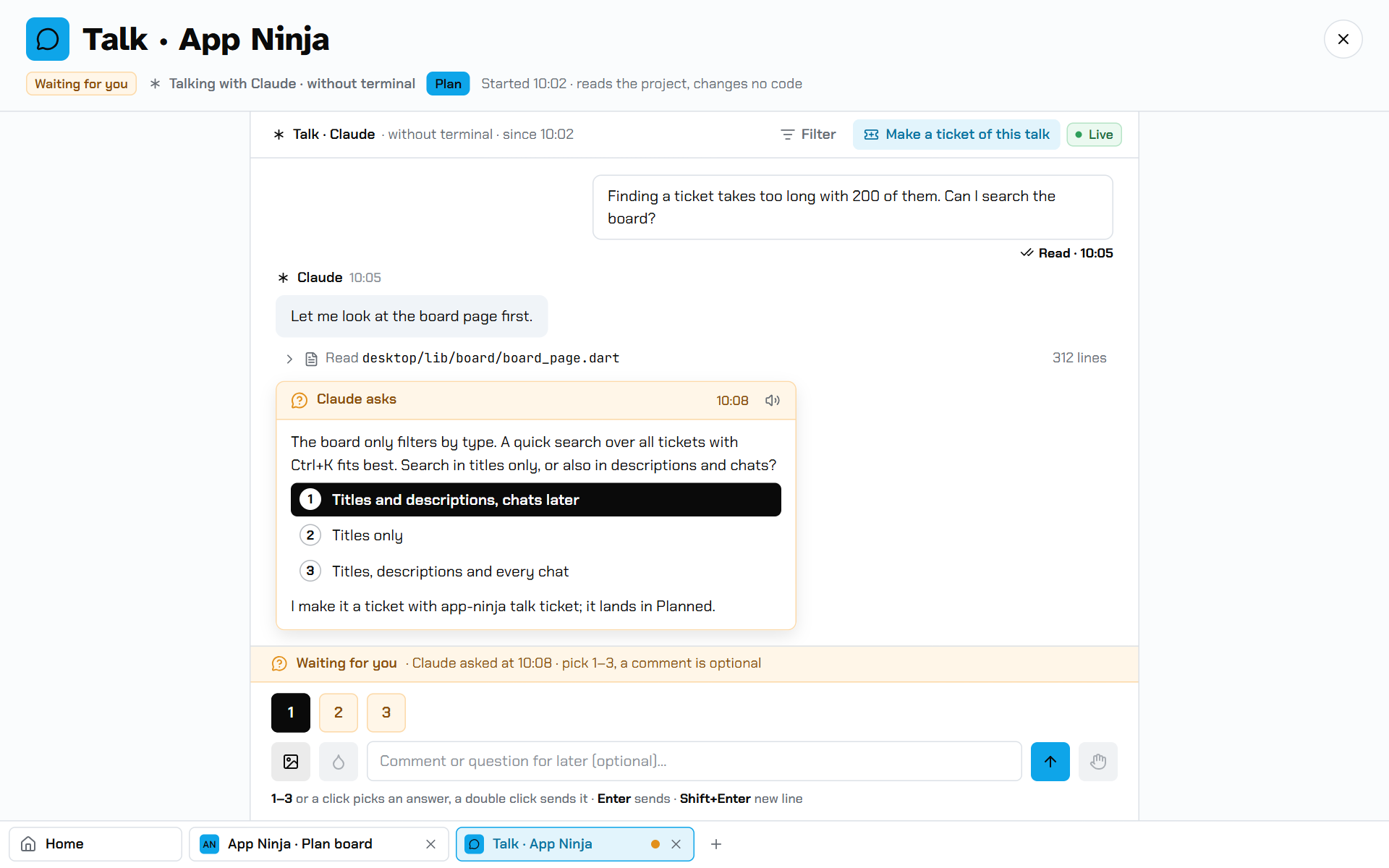
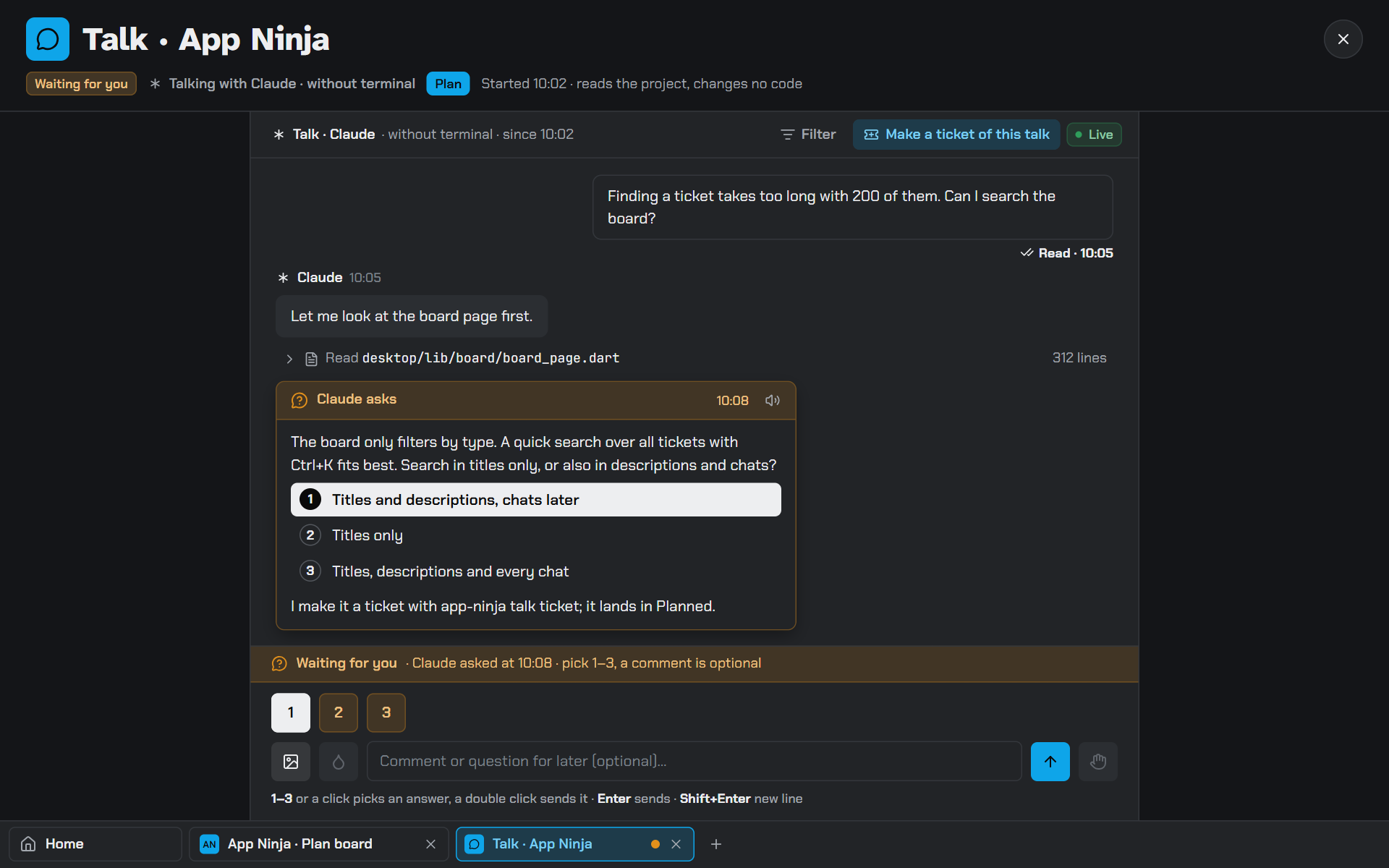
Talk: the agent asks with sketches to pick fromTalk: the agent asks with sketches to pick from

1 · Plan

Talk it through with Claude, or snap a screenshot on your phone.

  • Talks turn ideas into tickets
  • The agent asks, with sketches to pick from
  • Sketch, choose, design, build: the agent sketches each choice razor quick and sharp in NDF, App Ninja's own design format; you pick by looking, then it is designed and built
  • Read aloud: listen to the agent's answers and questions instead of reading them
  • You approve the plan
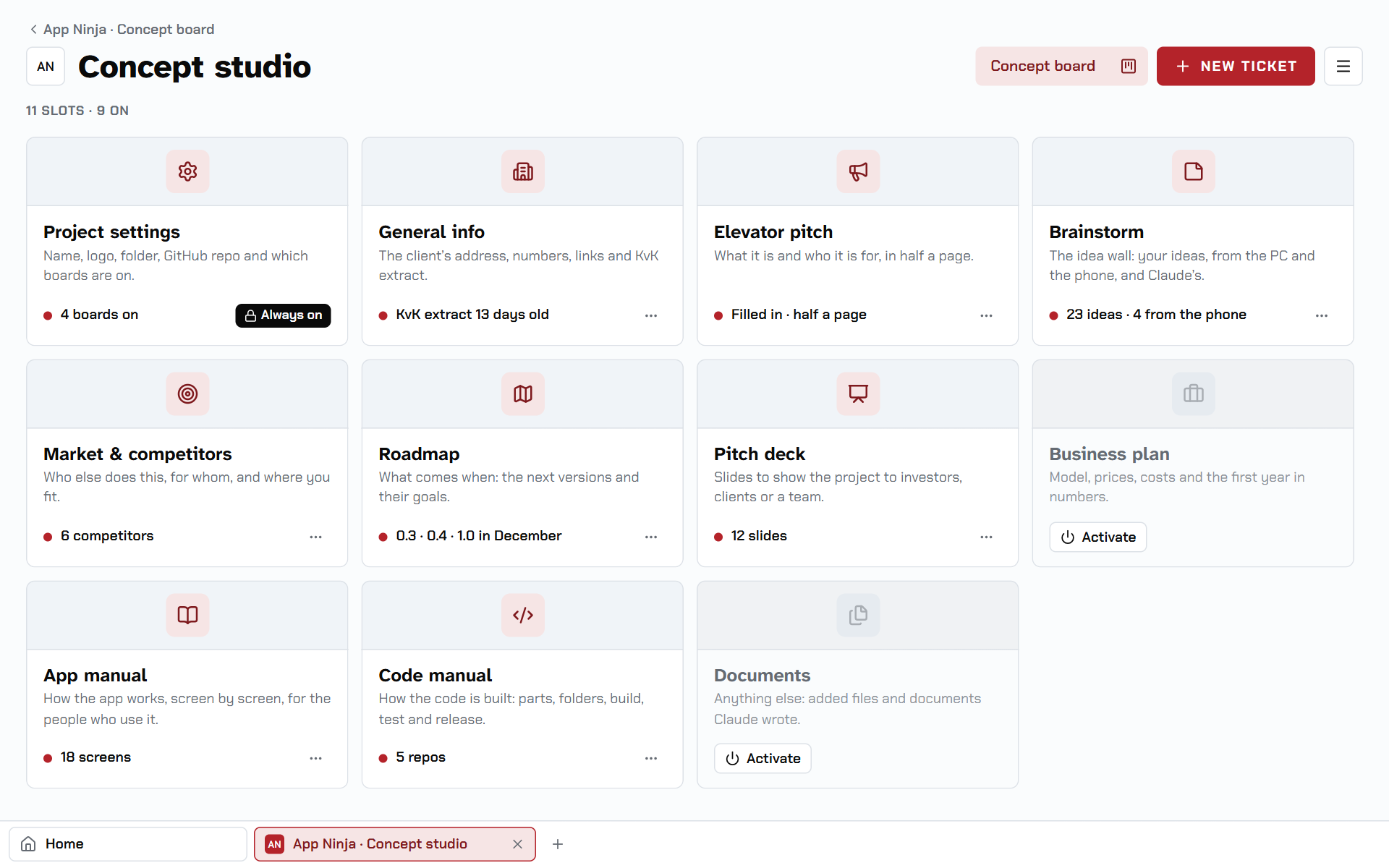
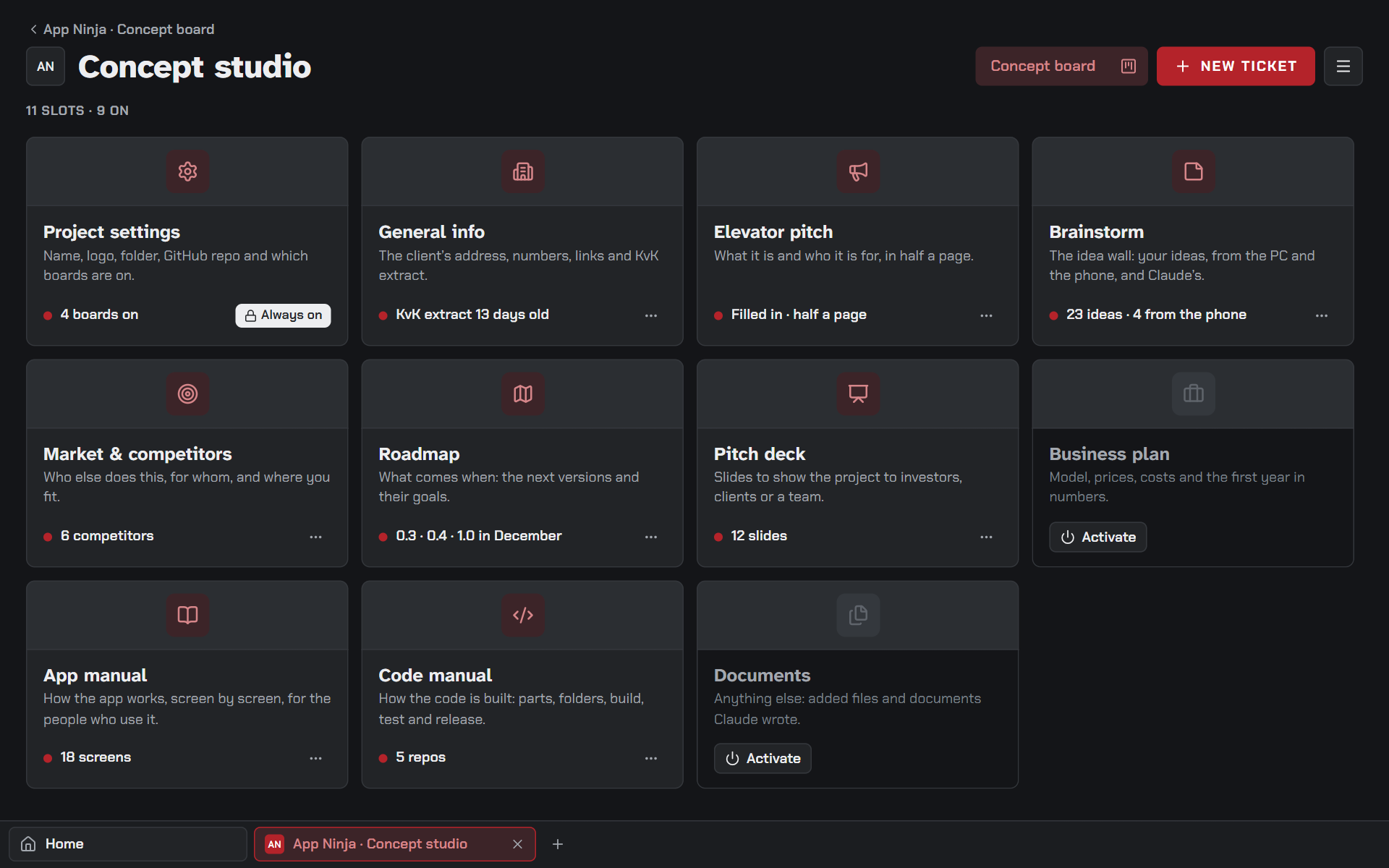
The Concept studioThe Concept studio

2 · Concept

The Concept studio: what the app is and who it is for.

  • The concept, kept up to date
  • General info: the business details
  • Agents read it before they build
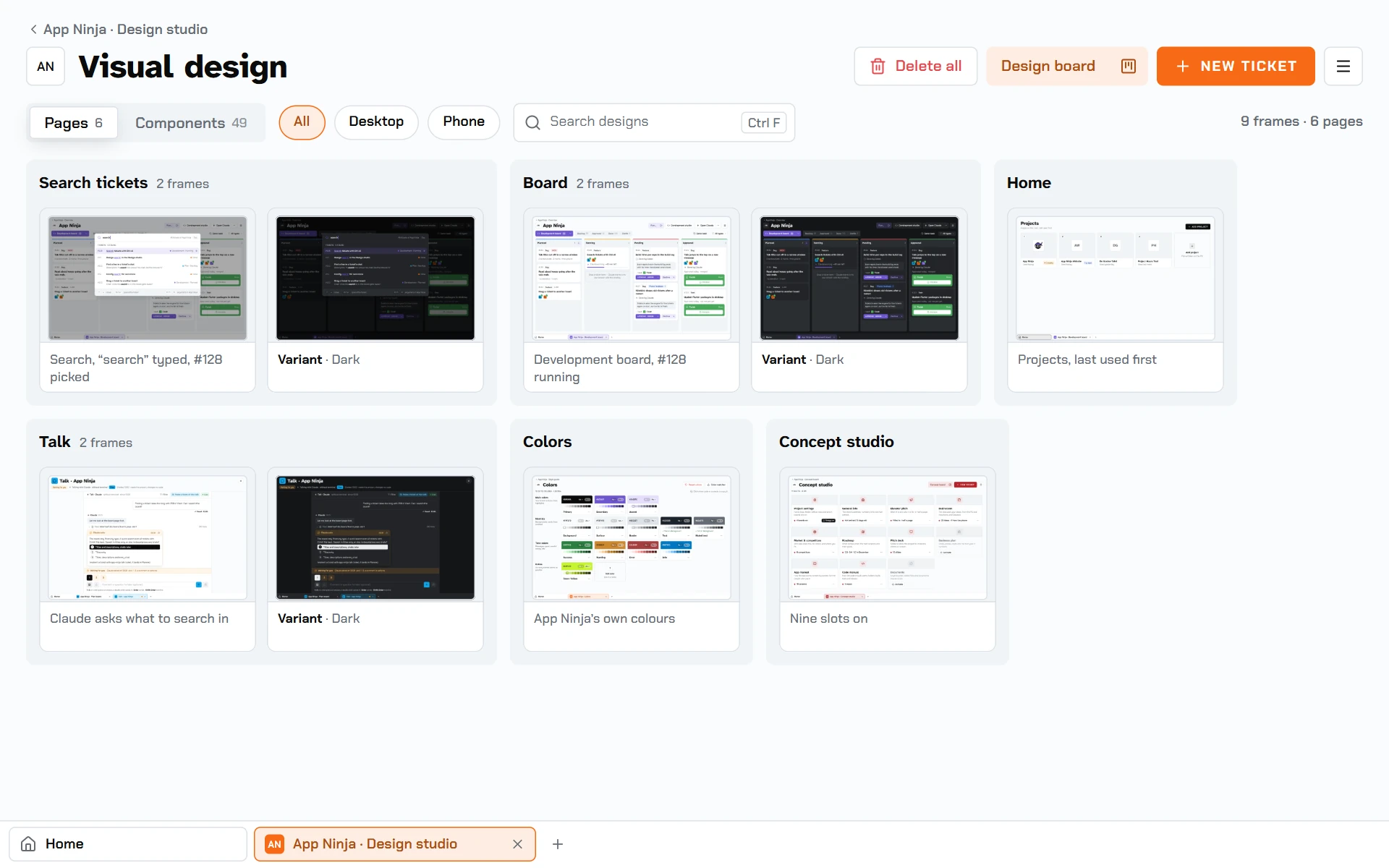
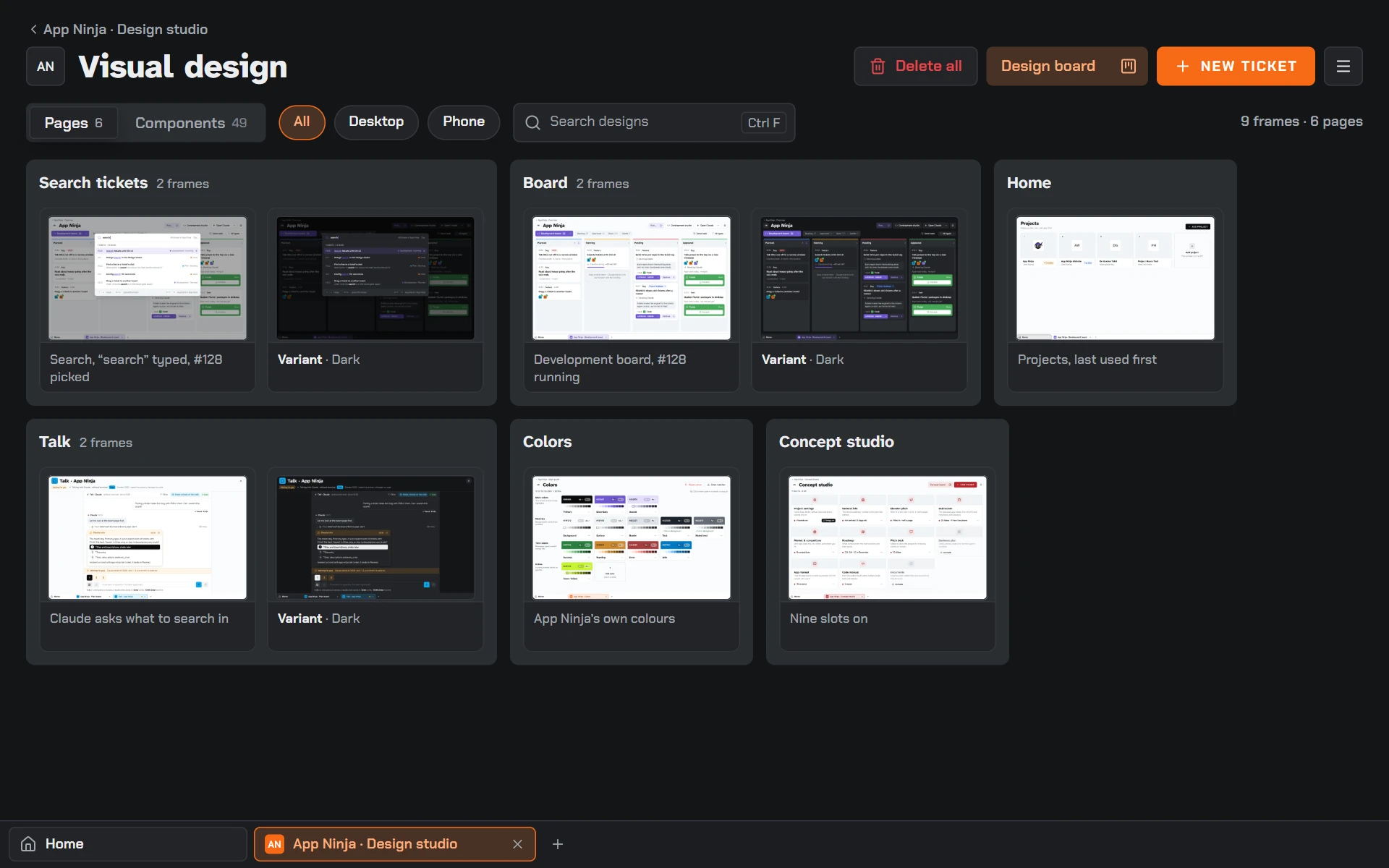
The Design studioThe Design studio

3 · Design

The Design studio: UX first, then the visual design.

  • Style guide: colours, fonts, icons
  • Logo & app icon, Art, Motion
  • Every screen drawn before it is built
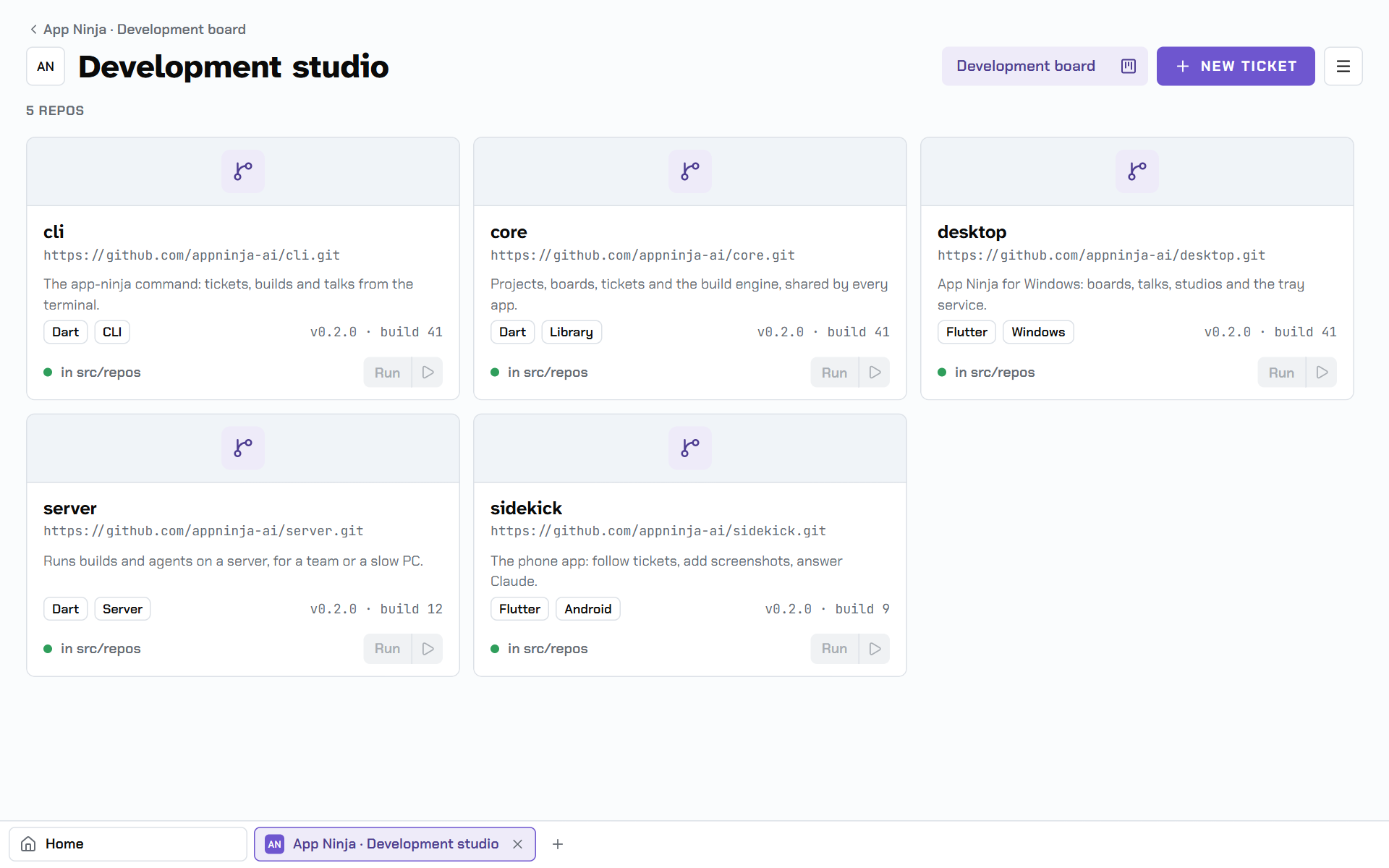
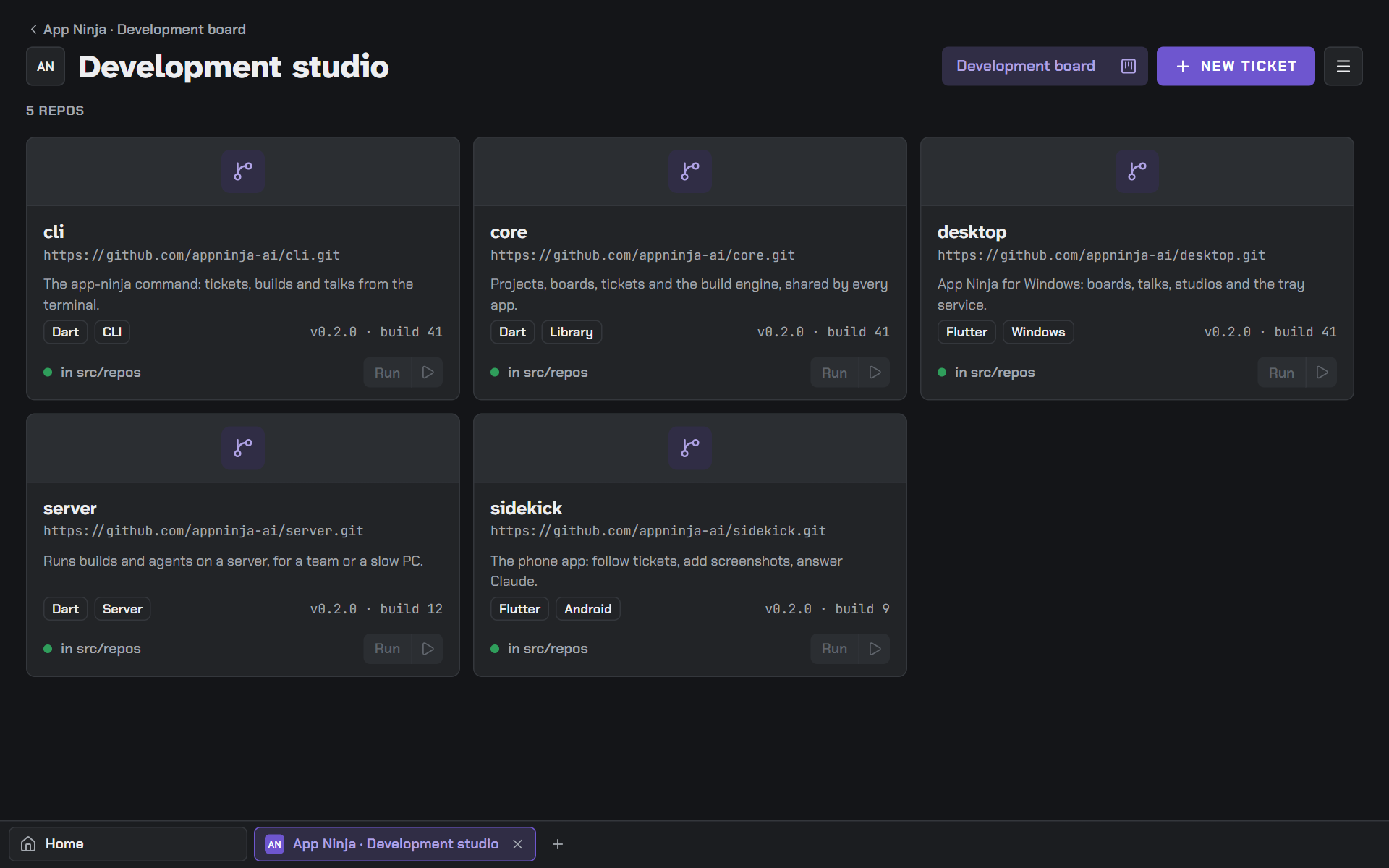
The Development studioThe Development studio

4 · Development

AI agents build each ticket in its own branch, then the build runs.

  • install → build → test → package
  • You test, approve, it merges
  • main follows on every PC

Make it yours

Your own boards, in your own order.

The four boards are where App Ninja starts. Add a board for whatever your team does, give it a name, a colour and a role, and its agent knows what to do there. Switch a board off when a project doesn't need it.

  • Translations

    Every text in every language, checked before release.

  • Security

    A security review of each change: secrets, access, dependencies.

  • DevOps

    Pipelines, servers and deploys, set up and kept running.

  • Testing

    End-to-end tests and a test round before it ships.

  • Docs

    The manual and the release notes, written as you build.

  • Your own board

Coming next

What App Ninja learns next.

  • Coming

    Seamless integration with Figma and IntelliJ

    Custom design and programming with AI, right in the tools you already use: Figma for design, IntelliJ for code.

    • Figma
    • IntelliJ
  • Coming

    Configuration Assistant

    It guides you through every configuration hell, step by step, with on-screen support in your browser.

    • AWS
    • Google Cloud
    • Azure
    • DigitalOcean
    • Cloudflare
    • Meta
    • Apple
    • Google Play Console
    • Stripe
  • Coming

    Build overnight with App Ninja Server

    Hand it many long tickets at once; App Ninja Server builds them while you sleep, and they wait for your test in the morning.

  • Coming

    Sidekick, App Ninja on your phone

    Follow a ticket's live progress while you are away from your keyboard, send screenshots to App Ninja for comments, answer the agent's questions, approve or decline.

Under development

App Ninja is being built right now, with App Ninja.

The public test starts in December 2026, for Windows and Mac.

  • Windows
  • Mac

Made by

Programmeur op Wielen

Rémon de Boer, independent developer

www.programmeuropwielen.nl

Contact

Questions, ideas, or want to join the test?

[email protected]